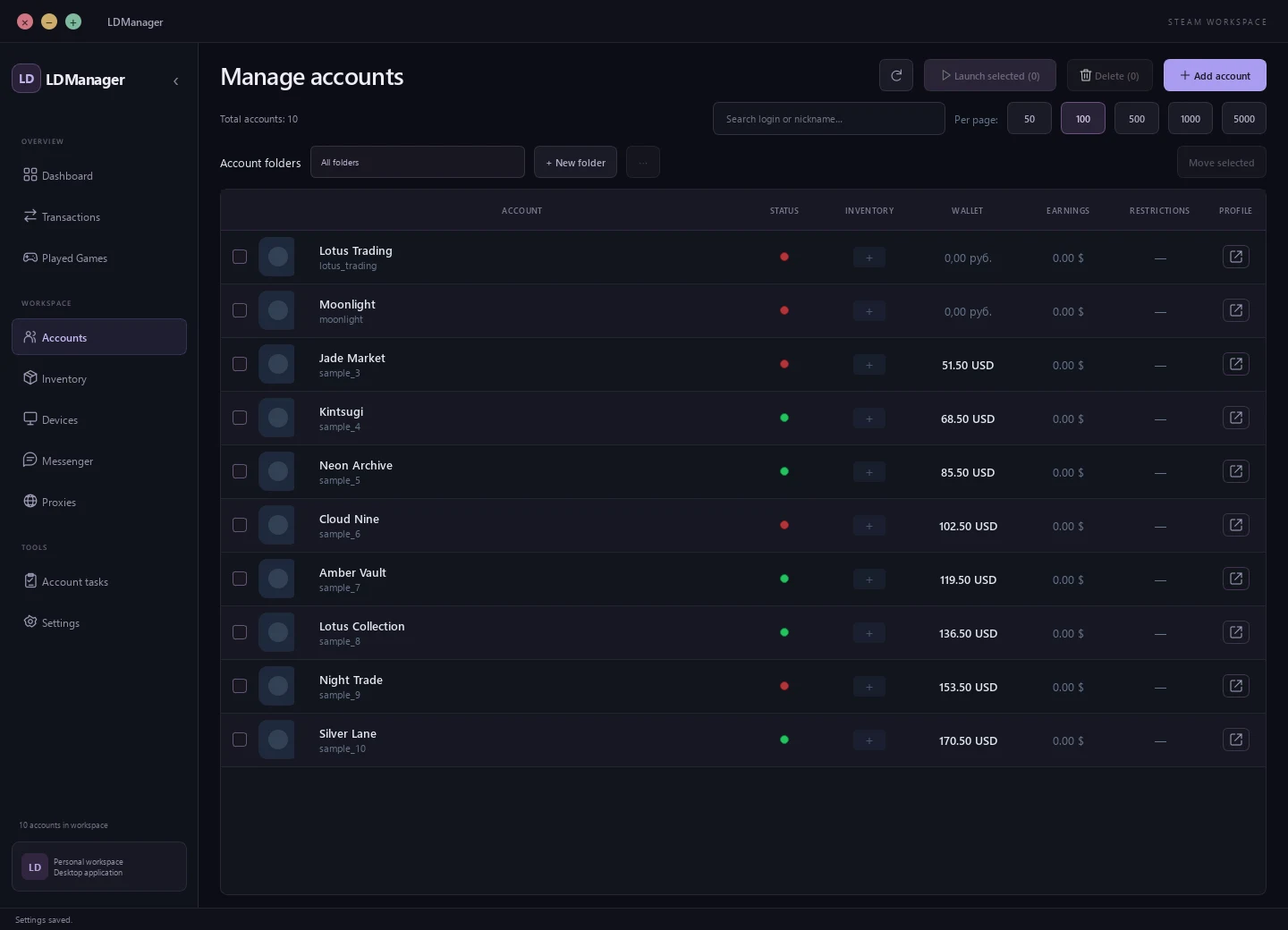
10 accounts. One list.
Find an account by login or nickname, check its status and start signing in to Steam.
LMK+
LDManager is a Steam multi account manager and desktop Steam authenticator for Windows. Sign in to accounts from one list; Pro adds inventory and Community Market tools.
How your data is storedFree includes your account list, authenticator and Steam sign-in. Pro adds folders and extended tools.
Find an account by login or nickname, check its status and start signing in to Steam.
Generate codes for connected authenticators in the manager, without switching between devices.
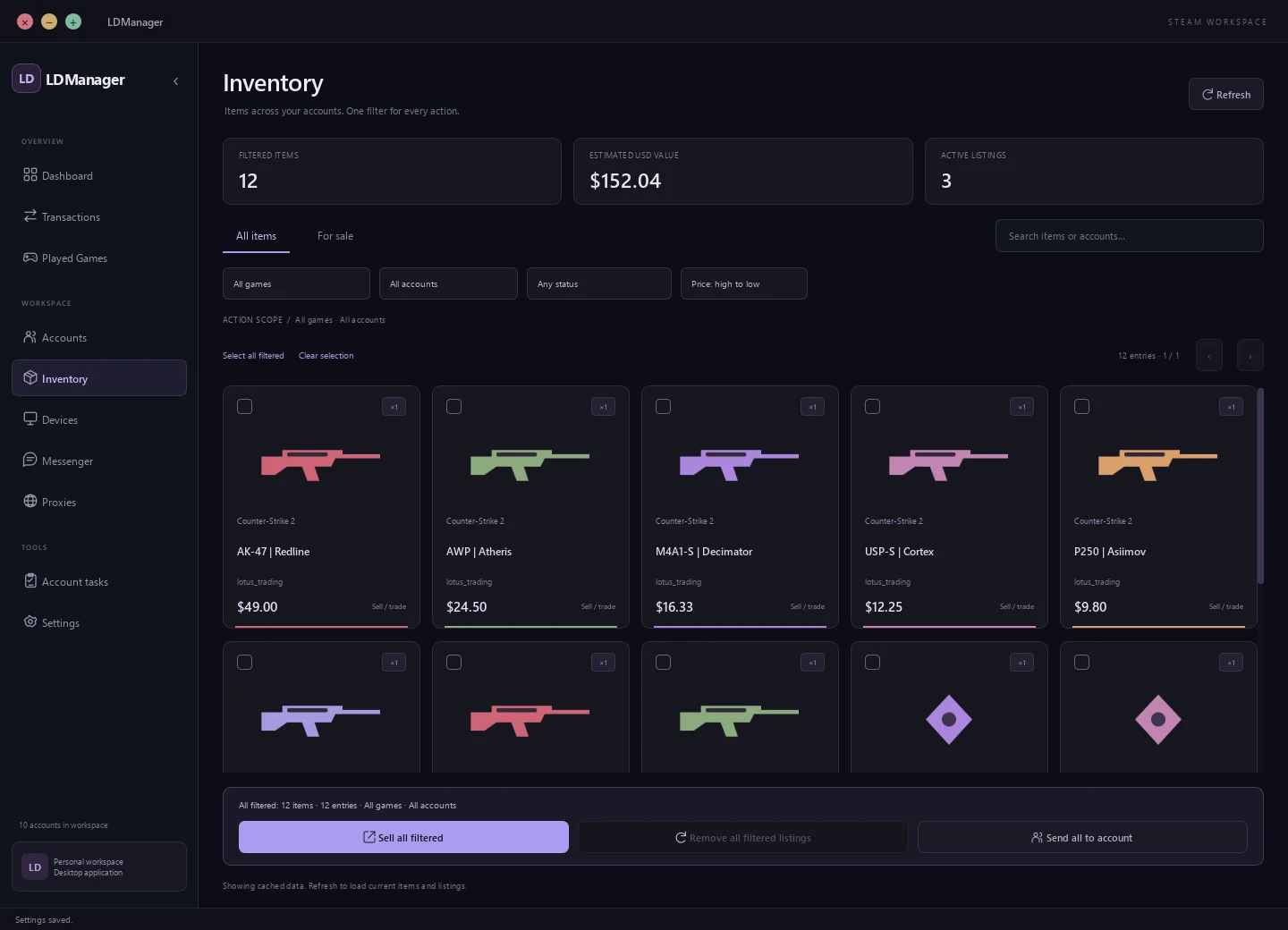
View items, use market tools and check transactions in the same application.
Explore the interfaceSteam data and your LDManager profile are stored separately. Here is how the current version works, including its limits.
Account lists, passwords and maFile secrets are stored locally. The public build uses %LOCALAPPDATA%/LDManager for its local store, imported files and sessions.
Telegram ID, username, nickname, avatar, subscription and chat data. The app does not send Steam passwords, maFiles or Steam Guard secrets to the LDManager server.
Codes are generated on your computer using shared_secret. The app connects to Steam for sign-in and confirmations; your website profile does not become your Steam authenticator.
The website and API use HTTPS. On Windows, your LDManager sign-in token is protected with DPAPI. This does not encrypt all your Steam files.
accounts.json, passwords and maFiles can be read from disk. Do not share these files; encryption of the LDManager token does not protect their contents.
You can remove an account from the manager’s list, but original maFiles, stored sessions and disk backups remain. There is no one-click full wipe yet. Contact support to request removal of your website profile and its server data; retention terms are explained in the privacy policy.
No. Removing a row does not unlink the authenticator in Steam or delete the original maFile. Authenticator binding is managed separately through Steam.
The website does not currently link to a public LDManager source repository. No independent security audit is claimed. Neither check is presented as already completed.
See how LDManager looks today. Select a section and enlarge the interface to explore the details.
Screenshots of the current desktop app with fictional data. Account actions are available in the manager.
The essentials, free. An extended workspace with one Pro subscription.
A simple start for your accounts.
For trading and tasks beyond the basics.
USD prices for the full term. Crypto checkout through 2328: availability and purchase in your profile. No recurring charges.
A few things to know before getting started with LDManager.
LDManager is a desktop utility for managing your own Steam accounts, authenticators, inventory and trading operations. It is an account manager, not a game client or cheat loader. Its purpose is account management, not gaining an advantage in competitive gameplay. LDManager is not affiliated with Valve.
LDManager is a general-purpose Steam account manager. It is being developed for traders, collectors and people with a wide range of tasks.
Connecting an authenticator to an account, and your personal account list for signing in to Steam. Extended tools belong to Pro.
By access duration: one month is $5, six months $20, one year $35 and lifetime $80. All durations include the same Pro features.
Download the application from your profile. Your profile also shows availability of Pro crypto payments through 2328.
LDManager is an independent project and is not affiliated with Valve. Steam and other trademarks belong to their respective owners.
Changes in the public build.
Internet is required for sign-in and subscription validation. Payment availability is shown in your profile. Steam operations depend on account restrictions and Steam availability.
Download from your profileЗагружаем пользователей…
Онлайн — активность на сайте за последние 2 минуты.
Get help with LDManager, ask a question or share your ideas.